
Your inventory is small on purpose. Slot pressure, what to carry, backpack and death pack rules, and where your loot goes when you die.
Deep Dish Dungeon Inventory: Limits, Backpacks, and Death Packs
Your Deep Dish Dungeon inventory is small on purpose: the studio says it wants you to choose what is worth carrying out, not hoover up everything. The numbered hotbar holds your gear, backpacks add space with real drawbacks, and anything you carry drops as a death pack where you die.
- The developers confirmed the small inventory is intentional design, not an oversight.
- The on-body carry space is the numbered hotbar, six slots on screen in official material.
- Backpacks and pouches exist; players describe the backpack as extra room in exchange for sprinting.
Why the Inventory Is Small
This is not a balance accident. In a launch-week dev blog, Creative Director Saulo Camarotti explained the reasoning directly: the team wants the dungeon to force decisions, and a generous inventory would remove them. The same post notes that if you always know where to go, carry everything you find, and never worry about resources, the intended experience disappears.
The creative director's own words: the inventory is small because the team does not want you collecting everything you see. Treat slot pressure as a mechanic to play around, the way you treat stamina or torch fuel.
Official source: Dev Blog #10 - Why friction is good (sometimes)
The practical consequence is simple: the game treats your pockets as a route-planning tool. You decide before a descent what the run needs, and you decide during the run whether one more pickup is worth the walk back. That intent also explains why the camp loop, not the dungeon, is where most inventory problems get solved, and the Steam store listing frames it the same way: gather resources, return to camp, plan the next descent.
How Much Can You Carry?
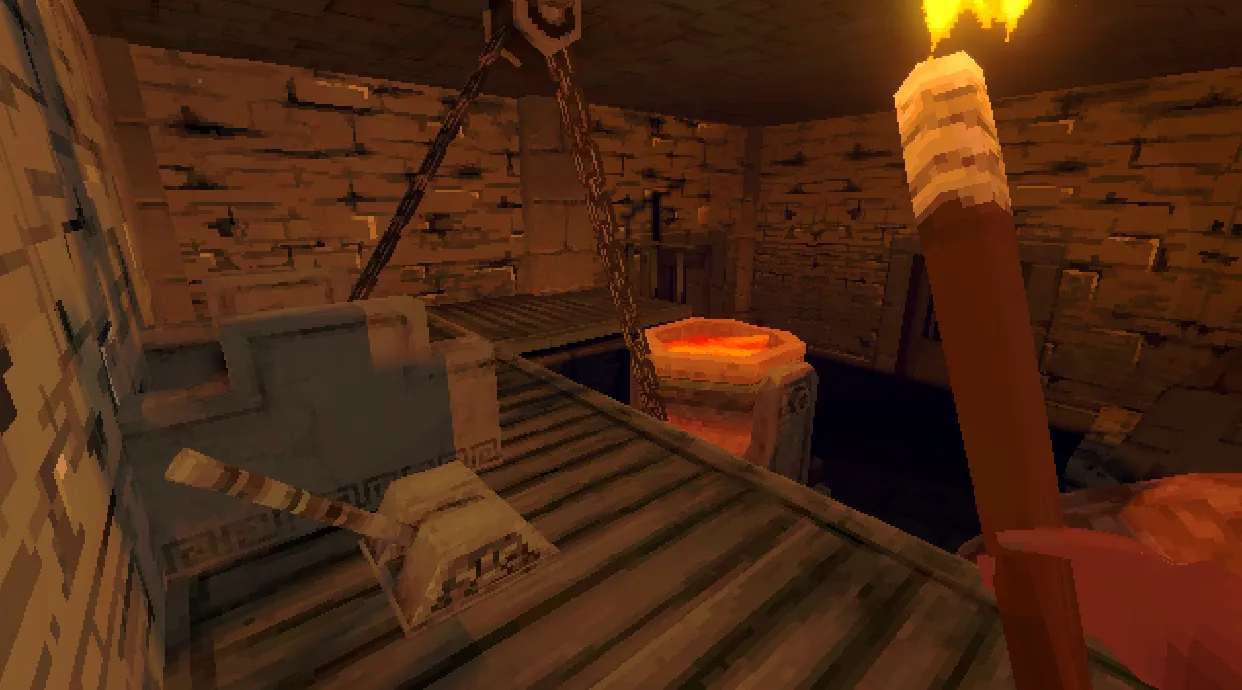
The number on screen is small. Official screenshots show a numbered hotbar of six slots, and that hotbar is your entire carry space until a container changes it. There is no separate deep backpack grid layered on top: what you see is what you have.
| Carry space | What it adds | Cost or catch | Evidence |
|---|---|---|---|
| Numbered hotbar | Six slots, the base on-body inventory | Nothing; it is your default | Official screenshots, keys 1-6 to select |
| Pouch | A smaller carried container | Materials and effects not documented officially | Player-reported |
| Backpack | Roughly nine extra slots according to Steam forum posters | You lose sprint while wearing it, per player reports | Player-reported |
| Camp chest | Storage at camp, separate from your body | Food left inside can spoil over time | Confirmed by official demo notes |
Slot counts beyond the hotbar come from player threads, so treat nine extra backpack slots as a widely repeated player figure rather than a spec sheet. The backpack also has a stated purpose that surprises people.
The hotbar is your whole inventory, so an empty slot is wasted capacity. Fill the low numbers with food and light, keep tools in the middle, and leave the far end for whatever the route needs. Muscle memory beats menu digging mid-fight.
Backpacks Are for Moving Camp, Not for Every Trip
The creative director's follow-up point reframes the backpack: it was designed more as a way to pack up your belongings and move your camp to another campsite than as something you wear on every expedition. That is a different job than most players assume. A backpack is a relocation tool with an inventory bonus attached, and the sprint loss players report is the price of wearing one down a corridor.
What that means in practice:
- Early access to space. Steam forum posters report backpacks are craftable within the first minutes of a run, so the early inventory squeeze is survivable.
- Pouches fill the gap. Players report pouches exist as a lighter middle option. Numbers come from player threads only.
- Real trade-off. Wearing the big container slows you down. If a run is about distance, the space may not be worth it.
- Switching is now safer. The launch patch fixed backpack contents getting swapped or duplicated when players switched backpacks.
If crafting the container is your next step, the material list lives in the crafting guide, and the workbench sits at camp beside the chest.
What to Carry and What to Leave
The right loadout depends on the route, but the priorities are stable. Carry capability, carry light, carry one meal that solves the obstacle you expect, and leave bulk materials for a dedicated farming trip.
| Slot priority | Item class | Why it earns the space |
|---|---|---|
| Highest | Key items and progress pieces | Losing one strands a route; many players report exactly this fear |
| High | Torch or light source, plus a spare | Darkness hides both loot and hazards |
| High | Main tool or weapon | Nothing else opens the gated path |
| Medium | One cooked meal with a useful effect | Stats and route effects change what is reachable |
| Low | Bulk crafting materials | Heavy and replaceable; farm them on purpose instead |
| Lowest | Duplicates and trophies | First things to drop when space runs out |
Dropping is a deliberate action, not a hidden menu: [F] drops the held item, and it lands where you stand. That is convenient at camp and miserable over a ledge, so stop on flat ground before reorganizing mid-run.
Official demo notes warn that food left unattended inside a chest for too long can spoil and lose its properties. The chest is a stash, not a pantry. Cook what a run needs, and do not bank rare ingredients there for the whole session.
What Happens When You Die: Death Packs
When you die, your carried loot does not evaporate. The game leaves a death pack at the place you fell, and the walk back to it becomes the next run's real objective. Pick it up and the contents return to you; ignore it and the detour cost compounds.
Three verified details shape how this plays out:
- The backpack does not stay on you. A demo update note states the backpack is no longer still equipped after the player dies.
- Water used to swallow packs. Before the first post-launch patch, backpacks and death packs could sink out of sight in water. The patch made them wash ashore like other items.
- Stacking losses were fixed. The same patch stopped items getting lost when adding to partial stacks.
Official source: Deep Dish Dungeon - Patch 1.0.47.0
Official source: Deep Dish Dungeon Demo - Update (v1013)
Player reports from launch week still describe backpacks vanishing after a death, usually near water or a pit, and most of those threads predate the water fix. The water case is patched and the pack is meant to be recoverable, so anyone who hit a loss before October 15 was playing the unfixed build. Patch notes are the only reliable record here, and the news timeline tracks them.
Chest, Camp, and the Loop That Prevents Loss
The camp hub is the real inventory system. Materials go into the chest, the workbench turns them into gear, the pot turns ingredients into meals, and the descent starts clean. Following that order every time removes most of the reasons players lose things, because nothing valuable is riding on your body while you are already carrying too much.
That order also solves the biggest beginner mistake: diving with a full pack and no plan. Unload first, then choose a loadout for the specific obstacle ahead. One official demo update note confirms the chest is real storage with a catch: food left unattended inside it can spoil and lose its properties. The cooking guide covers which meal effects matter, and the dungeon guide explains why a light torch counts as inventory too.
In co-op, the same loop needs assigning. A party that strips the same room together ends up hauling duplicates while missing the one tool the route demands, so decide who holds keys, who carries spare light, and who keeps space free before anyone descends. The co-op guide covers session structure.
Item-Loss Bugs Fixed Since Launch
Because this system had real launch-week bugs, the patch history is the most useful part of the page. Anything below is confirmed in official patch notes rather than player suspicion.
| Symptom | Status | Where it was fixed |
|---|---|---|
| Backpacks and death packs sinking in water | Fixed | Patch 1.0.47.0, October 15, 2026 |
| Items lost when adding to partial stacks | Fixed | Patch 1.0.47.0 |
| Backpack contents swapped or duplicated when switching backpacks | Fixed | Patch 1.0.47.0 |
| Deconstructed items falling through the floor | Fixed | Patch 1.0.47.0 |
| Backpack still equipped after death | Fixed | Demo Update v1013, June 15, 2026 |
The pattern is worth remembering for future patches: container and death-drop bugs get fixed first, because they destroy progress in a way combat bugs do not. If an update lands, read the note before trusting a forum complaint from the previous build. The official reference for the game is Raw Fury's Deep Dish Dungeon hub.
FAQ
Why is my inventory so small in this game?
Because the developers decided it should be. The creative director wrote that the small inventory exists so you decide what is worth bringing back and when to return to camp, and that carrying everything would break the intended experience. Slot pressure is the design, not a bug.
What happens to my items when I die?
They drop as a death pack at the spot where you fell, and you walk back to collect it. Your pack is not left equipped after death. Water-related losses were addressed in Patch 1.0.47.0, which makes backpacks and death packs wash ashore instead of sinking.
Do I lose my backpack when I die?
You lose the walk, not the pack itself. The pack is supposed to sit where you died until you retrieve it, and the launch patch specifically fixed cases where a pack dropped in water sank out of sight. If a pack truly cannot be found on a current build, that is worth reporting rather than assuming normal behavior.
How many extra slots does the backpack give?
Players on the Steam forums describe roughly nine extra slots, with sprint disabled while wearing it. No official page publishes a slot table, so treat the number as a player figure and the sprint trade-off as the part everyone agrees on.
Related Guides
- Crafting and Tools Guide - Material lists, workbench priorities, and the container crafts that create inventory space.
- Beginner Guide - The camp loop, the key bindings, and how the hotbar fits your first hours.
- Co-op Multiplayer Guide - Split carry roles before a shared descent so the party is not hauling three copies of one tool.
- Cooking and Recipes Guide - Which meals are worth a slot, and why food storage has its own rules.
- Dungeon Guide - Route knowledge is inventory knowledge: fewer surprises mean less dead weight in the pack.
More Deep Dish Dungeon Guides
The Deep Dish Dungeon demo is free on Steam for Windows with no time limit. Download steps, demo content, v1013 notes, and save transfer rules.
Handcrafted dungeon with no map or compass. Navigate by landmarks, lighting, shortcuts and vertical links, plus tool-gated paths and safe routes.
Demo enemies include archive skeletons, with 15 variants across 5 kinds per community datamine. Verified encounters, honest counters and patch caveats.
Deep Dish Dungeon FAQ: October 13, 2026 launch, free demo rules, price status, Game Pass, saves, map, co-op size, Mac, and cooking explained.
Clay matters early for crafting and camp upgrades. Where players report finding it, what it builds, and honest notes on unverified spots.
Saving works mid-run: stop, save and load later. How save files behave, what carries into the full game, and co-op progress notes.
What press and players say about Deep Dish Dungeon difficulty, friction, co-op and value, plus who should wait a patch before buying.
Deep Dish Dungeon news timeline: Raw Fury deal, February demo, Xbox Game Pass news, v1013 patch, and the October 13 2026 launch.