
Saving works mid-run: stop, save and load later. How save files behave, what carries into the full game, and co-op progress notes.
Deep Dish Dungeon How to Save: Progress and Loads
Deep Dish Dungeon how to save comes down to one habit: pause and use the in-game save options. The full game lets you save whenever you want, autosaves on an interval, and supports Save and Quit plus Save to Main Menu. Steam Cloud and Xbox cloud saves carry those files between machines.
- The full game already had a save system before the demo did, and players report four save choices in the pause menu.
- The demo gained saving in the June 2026 update, but its file still does not import into the full game.
- In co-op, the host holds the expedition save, so the host controls backups.
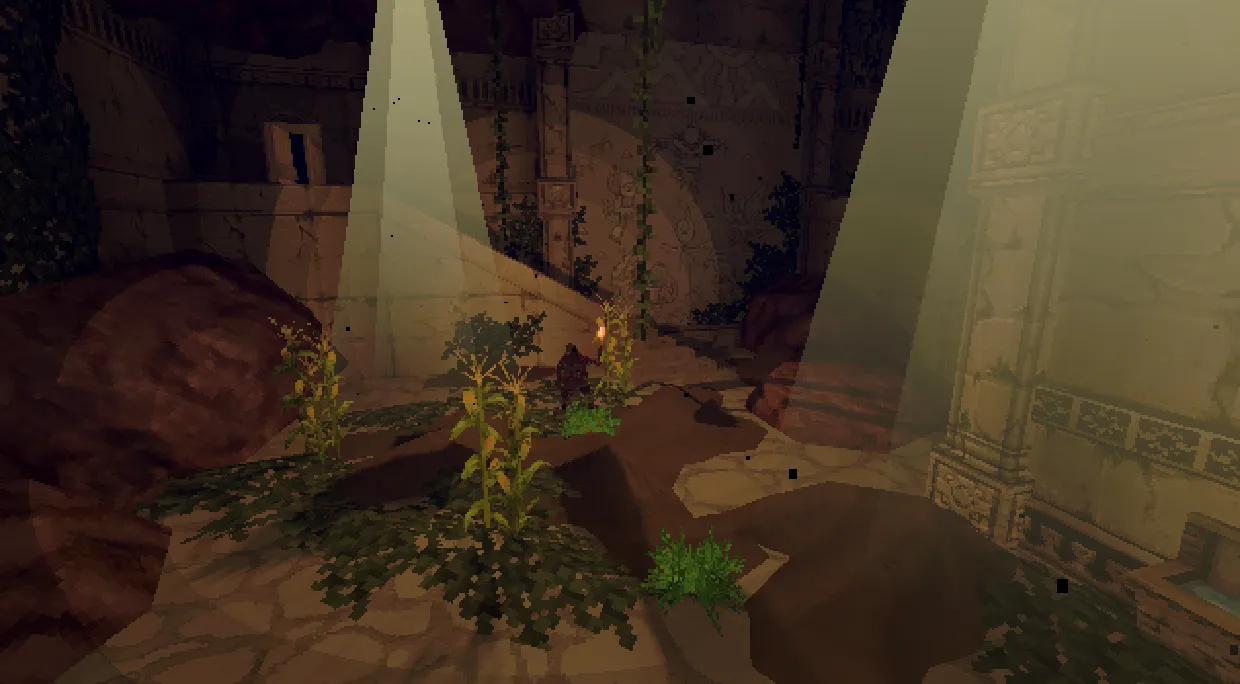
How Saving Works in the Full Game
Saving was part of the full game from early on, not a launch-window patch. When players pushed for saving in the demo, the developer's note made the split clear: the save system already existed in the full game, and it was the demo that shipped without one.
Official source: Deep Dish Dungeon - Dev Blog #9 - Steam Next Fest Demo Updates
Players who bought the game on October 13, 2026 report four save paths once you open the pause menu. These come from the Steam discussion boards rather than a printed manual, so treat the exact labels as close-but-not-guaranteed.
| Save option (as players describe it) | What it does |
|---|---|
| Manual save | Writes your current state on demand, without leaving the session |
| Autosave | Fires at set intervals in the background |
| Save and return to Main Menu | Banks the run, then drops you to the title screen |
| Save and Quit | Banks the run and closes the game |
The practical read: you do not have to finish an expedition in one sitting. The developer described the system, when it copied it into the demo, as starting a game, stopping anytime, saving, and loading it back later. If you are still learning the loop, the beginner guide pairs well with that stop-start rhythm.
Autosave timing is reported by players, not published by Behold Studios, so do not treat it as a guarantee that a crash is harmless. When a run has gone well, save on purpose.
How to Save Mid-Run: Step by Step
Saving inside the dungeon, not just at camp, is the point of the system and takes seconds once you know the order.
- Clear the room or step into a spot where nothing is actively chasing you.
- Open the pause menu with your normal pause input.
- Pick the save option that matches what you want next: a plain save keeps you playing, Save and Quit ends the session, and Save to Main Menu returns to the title.
- Wait for any confirmation prompt before you close the game. Killing the process skips the write.
- Reload from the title or the continue option the next time you launch.
The respawn side matters too: players report a sleeping bag acts as a spawn point, shaping where you return after a death. That is a community finding, so confirm it in your build.
Bank the run after camp chores and before you climb down. Rebuilding a loadout is cheap; re-walking a cleared route you never saved is not.
If you play on more than one machine, save and let the launcher finish syncing before shutting down. An interrupted upload is the most common way a good file goes bad.
Does the Demo Save? What Carries Over
Yes, the demo saves now, and no, that file does not follow you into the full game. Those two halves are easy to mix up, so separate them.
The demo launched on February 19, 2026 without a save system. Saving was the most requested addition, and the June 2026 update, demo build v1013, added it: start a game, stop anytime, save, and load it back later. One warning rode along. The demo save file does not carry into the full game, so demo progress stays in the demo.
The "About This Demo" wording on the store listings still carries the older line that there is no save and load and every launch starts from scratch. That text predates the June 2026 update. Trust the developer's update post for current behaviour, and the no-carry-over rule in both places.
That rule matters for buying decisions. Anything you unlock in the demo is practice, not a head start; the full game installs with its own save folder and starts clean. Our demo guide breaks down the trial build, and the release date page places it next to the October 2026 launch.
For the demo's own cloud behaviour, be conservative: the store text does not confirm that the demo file syncs the way the full game does. Back up the folder yourself if a demo run matters.
Steam Cloud, Xbox Cloud Saves, and Handhelds
Cloud saving is confirmed on both storefronts: the difference between losing a save to a dead drive and picking up on another machine.
| Platform | Cloud saves | Evidence |
|---|---|---|
| Steam, PC and macOS | Steam Cloud | Listed in the store page's feature set |
| Xbox console and Xbox on PC | Xbox cloud saves | Listed under the Xbox store capabilities |
| Steam Deck | Through Steam Cloud | Steam Deck Verified, so files follow the account |
| Demo | Separate file | Does not import into the full game |
Official source: Deep Dish Dungeon on the Xbox store lists both Xbox cloud saves and Xbox Play Anywhere under its capabilities.
Xbox Play Anywhere covers the other half: one qualifying purchase covers the console and the PC store version, with progress shared through the Xbox account. That is Xbox-only. A Steam copy keeps its own file and syncs through Steam Cloud, so the two storefronts do not trade saves. The system requirements page covers the platform split.
Official source: Deep Dish Dungeon on Steam carries the current feature list, including Steam Cloud.
A suspended Steam Deck is not a save, so bank the run before you step away.
Co-op Saves: Who Holds the Progress
Co-op saving is the least documented corner of the system.
The expedition save belongs to the host. No store page states this, but it is how sessions behave: players who hosted a run have asked on the Steam forums how to hand their save to a friend so that person can host instead. The working assumption is that the host's machine holds the world.
| Question | Current answer |
|---|---|
| Who owns the co-op save? | The host, based on player reports |
| Can a guest host the same world later? | Not through any documented in-game handoff |
| Is there a dedicated server option? | No documented dedicated server |
| Does an interrupted session resume cleanly? | Not guaranteed; no official statement |
A demo-era thread captures the risk: a host and guest lost their connection with no way to resume, because the demo had no save then. The full game fixes the stop-and-continue half of that, but nothing official describes a guest's state if the host drops.
Plan around that gap. Pick one permanent host, have them back up the save before long sessions, and coordinate on voice chat rather than relying on in-game recovery. Party-size and platform details live on the co-op multiplayer page.
Where the Save File Lives and How to Back It Up
The developer has not published an official save-location table, so this section stays inside what player posts report. On Windows, the game's Unity folder sits under the LocalLow path.
- Press Windows key plus R to open the Run box.
- Paste
%USERPROFILE%\AppData\LocalLow\Behold Studios\Deep Dish Dungeon\and press Enter. - Look for the saved-games folder inside; player posts describe per-slot files under a SavedGames subfolder.
- Copy the whole folder somewhere else, such as an external drive, to make a manual backup.
- Restore by copying the folder back while the game is closed.
Two cautions: this path is community-reported, and you should restore backups with the game fully shut down, since copying over live files can corrupt the save you are trying to rescue.
Official source: Deep Dish Dungeon at Raw Fury is the publisher page to watch for any future official word on saves and platforms.
Manual backups matter most in co-op: if the host's file is gone, the expedition is gone with it. A weekly copy of the folder is cheap insurance for a group with dozens of hours on one map.
Progress Loss Bugs Fixed in Patch 1.0.47.0
Early buyers hit a batch of save-adjacent bugs. The October 15, 2026 patch, version 1.0.47.0, addressed several of the worst. None changed how saving works, but they changed what survives the trip to camp.
| Fixed in 1.0.47.0 | Why it mattered for progress |
|---|---|
| Backpacks and death packs now wash ashore instead of sinking | Items lost in water are recoverable again |
| Backpack contents no longer swap or duplicate when switching packs | Two packs no longer trade or clone their contents |
| Items no longer vanish when added to partial stacks | Loot stops disappearing at camp sorting time |
| Steam Deck starts in native fullscreen; Xbox app controllers detect correctly | Fewer launch-side problems that look like lost progress |
Official source: Deep Dish Dungeon - Patch 1.0.47.0
The pattern matters if you are on an older build: pack and item bugs are the ones that eat progress, and this patch targeted exactly those. If you hit a crash loading a save, update first and re-test before assuming the save is dead. A manual backup before any large patch remains the safest countermeasure.
FAQ
Does Deep Dish Dungeon have a full save function, or only save on exit?
It has a full save function. Players report a manual save, automatic saves at intervals, and both Save and Quit and Save to Main Menu options. The demo once only saved on exit, but the full game was never limited that way.
Can I save in the middle of a dungeon run?
Yes. The developer describes the system as being able to start a game, stop anytime, save, and load it back later. Open the pause menu mid-run, save, and continue when you have time.
Do demo saves carry over to the full game?
No. The demo gained saving in the June 2026 update, but that file does not import into the full release. Anything you unlock in the demo stays there, so treat it as practice.
Can I share my save file so a friend can host our co-op world?
There is no documented in-game handoff, and no dedicated server option. The host's machine holds the expedition save, which is why some players copy the file manually. Backing up the host's folder is the practical safeguard.
Where are my Deep Dish Dungeon save files on PC?
Player posts point to %USERPROFILE%\AppData\LocalLow\Behold Studios\Deep Dish Dungeon\, with save slots in a SavedGames subfolder. The developer has not published an official location, so confirm the path on your own install before deleting anything.
Related Guides
- Deep Dish Dungeon Demo: Free Download Guide - what the trial build includes, its v1013 save system, and why its progress stays separate.
- Co-op Multiplayer Guide - party size, platform notes, and how a hosted session is structured.
- System Requirements - platform split and what to confirm on Steam before buying.
- Deep Dish Dungeon FAQ - quick answers on progress, platforms, and the launch window.
More Deep Dish Dungeon Guides
Can Steam and Xbox players share one dungeon? What cross-platform co-op means here, how to invite friends, and what is still unconfirmed.
How the Deep Dish Dungeon demo ends, what the thank-you screen means, and what the Prison Key door route still needs to confirm.
The Deep Dish Dungeon demo is free on Steam for Windows with no time limit. Download steps, demo content, v1013 notes, and save transfer rules.
Handcrafted dungeon with no map or compass. Navigate by landmarks, lighting, shortcuts and vertical links, plus tool-gated paths and safe routes.
Demo enemies include archive skeletons, with 15 variants across 5 kinds per community datamine. Verified encounters, honest counters and patch caveats.
Deep Dish Dungeon FAQ: October 13, 2026 launch, free demo rules, price status, Game Pass, saves, map, co-op size, Mac, and cooking explained.
Your inventory is small on purpose. Slot pressure, what to carry, backpack and death pack rules, and where your loot goes when you die.
What press and players say about Deep Dish Dungeon difficulty, friction, co-op and value, plus who should wait a patch before buying.